
Reviews
Roller Coaster Speed Run offers a straightforward yet addictive arcade experience. The 3D graphics are visually appealing, and the controls are very easy to learn. The strategic placement of brake zones adds a nice layer of challenge without making the game too complex. It's perfect for quick gaming sessions and provides a satisfying sense of accomplishment when completing a run. A great choice for casual players looking for a fun, family-friendly game.
About this game
Game Introduction
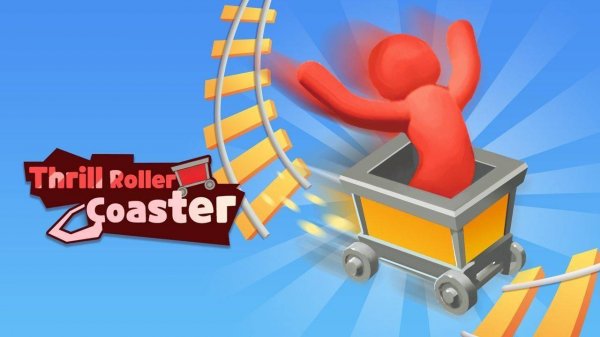
Roller Coaster Speed Run is a 3D arcade simulator where players control a fast-moving roller coaster. The main goal is to build enough speed to travel from one end of the track to the other. Along the way, players must manage momentum carefully, as certain sections of the track contain brakes that can slow the coaster down. Designed for players of all ages, this game delivers the excitement of a real roller coaster in a safe, family-friendly setting. The simple mechanics make it easy to start, but timing speed adds an engaging layer of fun. Each run is a fresh test of the ability to accelerate and decelerate at the right moments.
How to Play
To play, press and hold the screen or button to accelerate the roller coaster forward. The goal is to gain enough speed to cross the entire track. Be alert for brake zones in the middle that reduce momentum. Release the button to decelerate or adjust pace. The game uses intuitive controls, so no special skills are required. Just hold to go and release to slow down. Each run tests the ability to manage speed and avoid slowdowns.
Game Features
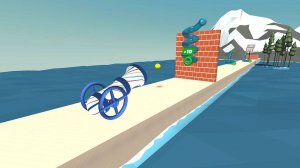
The game features fun 3D graphics that create an immersive visual experience. Controls are simple and responsive, making it accessible for younger players. Speed challenges keep each attempt engaging, as players try to reach the end faster. The track design includes strategic brake placements that require careful speed management. These elements combine to offer a satisfying arcade challenge.
Tips for Success
Practice regularly to improve timing and momentum management. Learn the location of brake zones to plan acceleration and deceleration. Focus on maintaining a steady speed rather than going full speed all the time. Each attempt provides valuable experience for better performance.







Comments
Sign in to leave a review
No account? Create one
No comments yet.