
Reviews
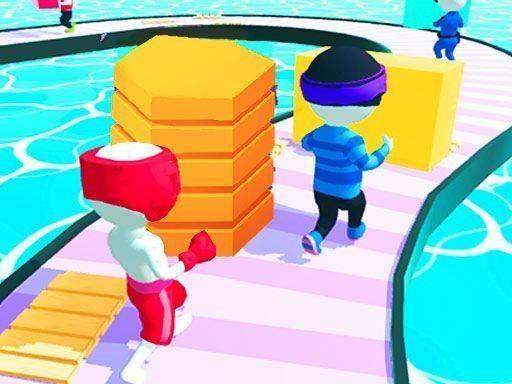
Shortcut Run 3D Path Builder offers a fresh take on the runner genre. The core mechanic of placing planks to create shortcuts adds a puzzle element that keeps each race engaging. The controls are simple and responsive, making it easy for anyone to pick up. The colorful graphics and family-friendly design make it a great choice for players of all ages.
About this game
Game Introduction
Shortcut Run 3D Path Builder is a racing game where every second matters. Unlike traditional runners that follow a fixed track, this game asks you to build your own path. The course is filled with gaps and obstacles. Your goal is to reach the finish line before your opponents. To do this, you tap your phone to place wooden planks. These planks become bridges over chasms. They also create shortcuts that save time. Each race is a new puzzle. You need to think fast and act faster. The game combines running with instant problem-solving. It is designed for players who enjoy a mental challenge alongside physical speed. The colorful 3D world makes each race feel fresh and exciting.
How to Play
Control your runner by swiping left or right to change lanes. This helps you avoid obstacles on the track. When you see a large gap, quickly tap the screen to place a plank from your inventory. This plank becomes a bridge. You must time your tap perfectly. If you tap too late, you fall. If you tap wisely, you create a shortcut. Collect extra planks scattered along the course. They keep your building options open. The key to victory is balancing running speed with smart planning. You must craft the fastest route possible while staying ahead of other racers.
Game Features
Creative track building lets you design your own path. Fast-paced 3D racing keeps you on your toes. Simple swipe and tap controls are easy to learn. Vibrant and colorful graphics create an engaging world. Family-friendly competitive fun suits all ages.
Tips for Success
Practice your timing for placing planks to avoid falling. Look ahead on the track to anticipate gaps and obstacles. Collect as many extra planks as possible to keep your options open. Balance speed with careful planning to find the best shortcuts. Stay focused and react quickly to changing track conditions.






Comments
Sign in to leave a review
No account? Create one
No comments yet.