
Reviews
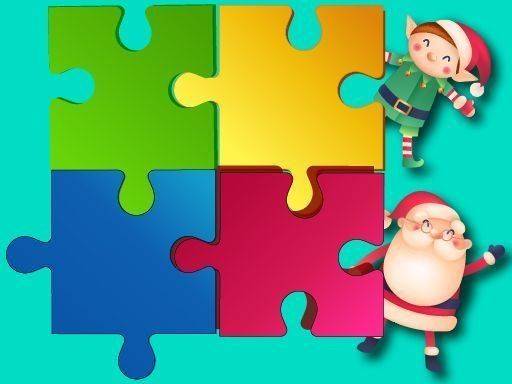
Winter Jigsaw Puzzle Game is a calming activity that brings the beauty of the season to your screen. The adjustable grid sizes make it suitable for both beginners and experienced puzzle fans. The high-quality images of snowy landscapes and cozy indoor scenes are a pleasure to assemble. The simple drag-and-drop controls and progress tracking keep the experience stress-free. It is a great way to unwind during holiday gatherings or quiet evenings.
About this game
Game Introduction
Winter Jigsaw Puzzle Game brings the beauty of the cold season to your screen. It includes a collection of high-quality images showing snowy landscapes, decorated trees, and cozy indoor scenes. Players can select any picture they like and then choose a grid size that matches their puzzle experience. The goal is simple: drag and drop each piece into its correct place to complete the image. This game is designed for players of all ages, from children to grandparents. It offers a calm and enjoyable activity that helps pass the time during holiday gatherings or quiet evenings. The flexible difficulty settings mean anyone can play, whether you want a quick puzzle or a longer challenge.
How to Play
Start by browsing the image gallery and picking a winter scene that appeals to you. Next, select a grid size. Smaller grids have fewer pieces and are easier for beginners. Larger grids increase the number of pieces and make the puzzle more challenging. Once the puzzle starts, simply click on a piece and drag it to where you think it belongs. The game will show you your progress as you place pieces correctly. You can pause the game at any time and return later. The controls are straightforward, so no special skills are needed. Just click, drag, and enjoy putting the picture together.
Game Features
Customizable grid sizes let you adjust difficulty to your preference. Beautiful winter landscapes provide a festive atmosphere. Relaxing gameplay that does not require speed or competition. Progress tracking shows how many pieces you have placed. Pause and resume anytime for flexible play sessions.
Tips for Success
Start with smaller grid sizes to get comfortable with the controls. Look for edge pieces first, as they are easier to place and help form the puzzle border. Group pieces by color or pattern to make matching easier. Take breaks if you feel stuck; returning later can give you a fresh perspective. Enjoy the process without rushing; the goal is relaxation, not speed.








Comments
Sign in to leave a review
No account? Create one
No comments yet.