
Reviews
Grid Reveal Logic Puzzle offers a polished take on the classic nonogram format. The gradual difficulty curve, from tiny 5x5 boards to sprawling 50x50 grids, keeps the experience fresh. Auto-save and zoom features make it easy to play in short bursts. The lack of timers reduces stress, allowing players to focus on deduction. While the visual style is simple, the hidden images provide a pleasant surprise. A solid choice for puzzle fans seeking a calm mental challenge.
About this game
Core Puzzle Mechanics
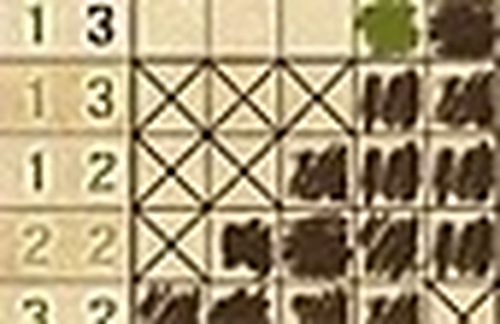
This game revolves around a grid-based deduction system. Number clues appear along the top and left edges of the board, indicating consecutive filled cells in each row and column. Players use these clues to determine which squares to mark and which to leave empty. The challenge lies in combining row and column constraints to deduce the correct pattern. As the grid fills, a hidden picture gradually emerges, providing a clear goal for each puzzle. The logic is straightforward to learn but offers depth for those who enjoy systematic reasoning.
Grid Sizes and Difficulty Progression
Puzzles range from small 5x5 grids to larger 50x50 layouts. Smaller boards are ideal for learning the rules and building confidence. Larger puzzles require more advanced deduction and patience, often involving multiple steps of elimination. This variety ensures that both newcomers and experienced solvers find suitable challenges. The gradual increase in complexity keeps the experience fresh without overwhelming players early on.
Visual Feedback and Navigation
Each completed puzzle reveals a pixel-art image, offering a clear sense of accomplishment. The interface supports zooming, scrolling, and panning, which is especially helpful for larger grids. Color-coded cells or markers may assist in tracking progress. The clean visual design minimizes distractions, allowing players to focus on the logical task at hand. Auto-save functionality ensures that partially solved puzzles are preserved, so users can return to them at any time.
Learning and Support Features
New players can access guided tutorials that explain the basic principles of number clues and cell filling. These tutorials break down the logic step by step, making the game accessible to anyone curious about puzzle solving. Hints may be available for those who get stuck, offering gentle nudges without giving away the solution. This supportive approach helps build confidence and encourages independent problem-solving over time.
Relaxed Pacing and Replay Value
The game is designed for calm, unhurried play. There are no timers or penalties for mistakes, allowing players to think through each move carefully. This makes it suitable for short breaks or longer sessions. With many puzzles to solve, each offering a unique hidden image, the game provides substantial replay value. Completing puzzles may unlock additional content or achievements, adding a light layer of progression.












Comments
Sign in to leave a review
No account? Create one
No comments yet.