
Reviews
Obstacle Course Explorer succeeds by focusing on the fundamentals of platform navigation. The four worlds introduce new obstacles at a comfortable pace, and the controls feel responsive. Hidden collectibles add a light layer of exploration without becoming tedious. The bright, uncluttered art style makes reading each platform pattern easy. While it does not innovate the genre, it executes its core idea with polish and provides a relaxing yet engaging experience for short play sessions.
About this game
Core Gameplay Loop
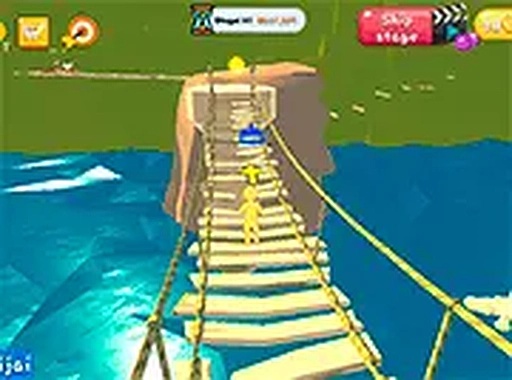
Players control a character who must traverse from a starting point to a finish line across each stage. The primary challenge involves coordinating movement and jumps to land safely on platforms that shift, rotate, or disappear. Collectible items are placed along paths that require extra effort to reach, encouraging players to explore off the main route. The game rewards careful observation of platform patterns before making a move.
World Design & Variety
The four worlds each present a unique visual theme and introduce new obstacle types. Early stages focus on basic gaps and stationary platforms, while later worlds incorporate elements that change position or require quick reactions. Hidden areas are tucked away in each world, often accessible only by taking a less obvious path. This structure keeps the experience fresh without overwhelming the player.
Controls & Responsiveness
Keyboard inputs control all movement. The character responds immediately to directional keys, and the jump action has a consistent height and distance. Some stages may include mechanics like a brief dash or a higher jump, activated by a separate key. The control scheme is simple enough to learn quickly but demands precision for later levels.
Progression & Rewards
Completing a stage unlocks the next one within that world. Collecting enough hidden items throughout a world can unlock new visual options for the character. These customization choices are purely cosmetic and allow players to personalize their experience. There is no penalty for failing a jump; the character simply restarts at the last checkpoint or the beginning of the stage.
Visual Style & Atmosphere
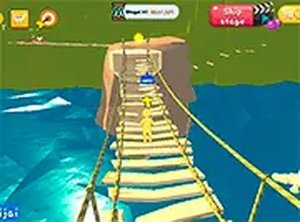
The graphics use bright, saturated colors and simple shapes, making each platform and hazard clearly visible. Backgrounds are kept clean to avoid visual clutter, helping players focus on the immediate path. The overall tone is light and encouraging, with no threatening elements. This design makes the game suitable for a wide range of ages.
Session Length & Replayability
Individual stages are short, typically taking one to three minutes to complete. This makes the game well-suited for brief play sessions. Replaying stages to find all hidden items or to improve completion time adds replay value. The gradual difficulty curve ensures that players of different skill levels can find an appropriate challenge.









Comments
Sign in to leave a review
No account? Create one
No comments yet.